Scan it. Then talk to it. — RakuAI Capture for everyday spaces
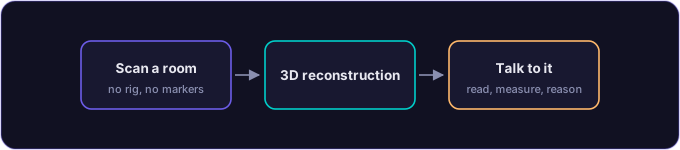
You pull out your phone, walk around your living room for thirty seconds, and tap upload. A few minutes later you have a 3D reconstruction of that room — and once GPU splat training is online (arriving within days), that becomes a draggable photorealistic Gaussian splat made of millions of tiny transparent ellipsoids — sitting at a URL you can share. Then you open Claude, or ChatGPT, or Gemini, point it at your Raku MCP server, and ask: “Will this couch fit along the far wall?” The assistant reads the scene, measures the gap, and tells you.
That is the Raku Capture idea. One phone. No rig, no markers, no desktop 3D software, no install. The result is not a photo — it is a talkable scene: a living spatial object your AI assistant can query, measure, and reason about.
This post is the honest account of what that looks like today, what is still arriving, and why the combination of honest capture and an open-protocol AI runtime is something genuinely new.
What Gaussian splatting actually is
Most 3D capture tools produce meshes — a skin of triangles laid over the estimated shape of a space. Meshes look plausible from the outside and fall apart up close. Gaussian splatting is different. It fills the scene with millions of tiny 3D ellipsoids — each one positioned, oriented, scaled, and colour-tuned to match what a real camera saw from a real angle. The result is dense, view-dependent, and photorealistic in a way triangles cannot match.
The technical name is 3D Gaussian Splatting (3DGS). The file format is `.spz` (compressed) or `.ply` (interchange). You cannot touch it or break it; you can rotate it, zoom into it, and point an AI at it.
Raku uses Brush v0.3.0 as the Gaussian splatting trainer. It runs on a GPU (Azure A10, AWS G5, or Nebius H100 — more on that below). The COLMAP Structure-from-Motion step that precedes it — turning your video frames into a sparse 3D point cloud — runs on CPU and is live today.
How the capture flow works
Step one: open the PWA. The entry point is a QR code on rakuai.com/capture.html. Scan it on your phone. The capture app opens in your mobile browser — no App Store, no APK, no account required to try. It runs as a Progressive Web App.
Step two: record a scan. Walk slowly around the space — or around the object, or along the wall you care about. Thirty to sixty seconds of steady footage is enough. The app uploads the frames to the Raku backend over `POST /capture/upload`. Your scan goes to Azure Blob Storage immediately.
Step three: reconstruction. The backend dispatches a reconstruction job to `recon-worker` — a Container Apps job runner. It runs COLMAP across your frames, computes camera positions, and produces a sparse 3D point cloud. This step is CPU-bound and runs today, for every scan.
Step four: splat training. The COLMAP output feeds into Brush, which fits millions of Gaussians to your frames. This is the GPU-bound step. Honest: hosted GPU capacity is still being provisioned. Until it is online, reconstructions fall back to the sparse point cloud. This is early access, not a finished product. Real GPU paths are expected within days.
Step five: the splat lives. The trained `.spz` file sits at `api.rakuai.com/splats/
The part that makes it useful: MCP
The interactive viewer is satisfying. The MCP runtime is what makes the splat actually useful.
MCP — Model Context Protocol — is the open protocol that lets an external AI assistant call typed tools against an external service. Raku exposes your captured scene through two surfaces:
17 native tools — a typed contract for reading and mutating a spatial scene. The read-only tools (query object positions, measure distances, get scene metadata) work on every tier including free. Mutation tools (move objects, annotate, update scene state) require explicit permission grants and are denied by default.
~9,500 passthrough endpoints — the full FastAPI surface of the Raku backend, exposed through the MCP relay. Capture history, job status, reconstruction quality, scene metadata — all reachable from any MCP client.
The MCP server runs at `api.rakuai.com`. It speaks stdio transport. Every call is logged to an immutable audit trail. Per-session rate limits are enforced.
MCP is on every tier, including free. Connecting your AI assistant to a captured scene is not a Pro feature.
Asking your assistant questions about a space
Once you have connected your AI assistant to Raku over MCP, the questions you can ask become spatial and grounded rather than hypothetical:
“Will this couch fit along the far wall?” — The assistant calls `measure_distance` between the two walls, compares against the couch dimensions you provide, and gives you a real number, not an estimate.
“How far is the window from the desk?” — `query_scene_objects` locates both, `measure_distance` returns the gap in centimetres.
“What is on the shelving unit in the corner?” — `query_scene_objects` returns the objects the runtime has identified in that region.
“What would this room look like with the desk rotated ninety degrees?” — With a mutation grant, the assistant can reposition the desk in the scene model and re-render the view.
These are not search results. They are measurements and observations made against a 3D representation of your actual space. The assistant brings the language and the reasoning. Raku brings the spatial substrate.
Claude, ChatGPT, Gemini, and Copilot all work. The MCP contract is the same for all of them. When a new AI assistant ships MCP support, it works against Raku without any code change on our side.
What is live today versus what is arriving
Live today: - Phone scan PWA — no install, QR entry, uploads to Azure Blob - COLMAP feature extraction and sparse point cloud - Backend infrastructure (FastAPI ~9,500 endpoints, Redis job store, tier-aware rate limits) - MCP runtime with 17 native tools + ~9,500 passthrough endpoints - Hosted MCP relay for Claude, ChatGPT, Gemini, Copilot - Free tier (10 captures/day, 1 GB, 7-day retention, MCP included) - Pro Beta — \$0 during the beta period, will be \$14.99/mo at GA with at least 30 days notice before any charge
Gated (early access — expected within days): - Real GPU splat training on Azure A10 - Real GPU splat training on AWS G5 - Live 3D splat viewer in the capture app (three.js renderer is wired; needs a trained splat to display)
Roadmap: - Self-service production mutation grants - Higher-quality reconstruction queue for Pro - Third-party adapter ecosystem
NVIDIA Inception member since May 2026. Five granted US patents (priority July 2012).
Honest about what it is
Raku Capture is phone-grade and prosumer-grade reconstruction. It is not a surveying instrument. It is not a professional photogrammetry tool. It will not give you millimetre accuracy or CAD-ready models.
What it will give you is a photorealistic 3D Gaussian splat of your space, produced from a phone walkthrough, accessible to any LLM over MCP. For the questions most people want to ask about a real space — “will this fit?”, “how far is that?”, “what is over there?” — it is accurate enough to be genuinely useful.
The splat viewer is not yet shipped on capture.html. The live end-to-end demo (scan on phone, see splat in browser, ask assistant a question) requires a trained splat, and GPU training is the one gate still open. That gate is expected to close within days.
Getting started
If you want to try the capture end today: rakuai.com/capture.html — scan the QR on your phone.
If you want to connect your AI assistant over MCP: /developers/claude-desktop.html — the Claude Desktop guide; same pattern for all assistants.
If you want to understand the full MCP tool surface: /mcp.html.
Scan it. Then talk to it.